

ICENAVI · SIM ROLE CARD
The awkward part begins when both lines are active and your phone has no clear idea what each one should do. Separate the original number for verification messages, the Iceland data line, and the offline fallback, and dual-SIM travel becomes much easier to manage.

ICENAVI CONNECTIVITY · DUAL-SIM FIT
What problem does a travel eSIM actually solve?
The scores assess dual-SIM role allocation, message delivery, offline backup for remote stretches, the activation window, support and cost control. They do not rate coverage from Airalo, Saily or any Icelandic network. Recheck the plan, phone compatibility and carrier charges before purchase.
Keeping the original SIM for essential SMS and calls while assigning data to the travel eSIM gives each line an easily tested role. Roaming charges still depend on the original carrier’s terms.
Phone unlocking, eSIM support, DSDS, automatic data switching and the iMessage identity must be tested individually. Results vary by model and sales region.
Offline maps, accommodation addresses, meeting points and 112 information remain available in valleys, tunnels or storms. A second SIM cannot replace those saved copies.
Validity may begin at installation, first connection or arrival. Save the QR code, customer-service details, APN information and refund terms over home Wi‑Fi.
A data-only eSIM avoids paying for a full voice bundle when you only need one verification message. A local SIM becomes relevant for local calls, top-ups or phones without eSIM support.
Your original number, travel data and offline copies each have a defined job, which is usually more dependable than asking one line to handle everything. Activation and roaming terms remain the weak points.
Picture the first five minutes after arriving at Keflavík: the airport Wi‑Fi has just dropped, the rental company wants to see your confirmation, and your bank sends a one-time passcode. You tap “Mobile Data”, see two numbers and start guessing. A wrong choice may mean only a missed message, or it may put your original number on roaming until the bill tells you what happened.
This should not become a vote on whether eSIM or physical SIM is better. An eSIM describes the installation method; a physical SIM is another form factor. The decision is about which line supplies data, which one preserves your original number, and where your addresses and emergency information remain available without a connection.
Assign a job to each line before your phone chooses for you
After adding both lines, I would rename them before checking the signal bars. Use names that reveal their purpose, such as “Hong Kong SMS” and “Iceland Data”. It sounds minor, but it removes one easy source of error when you are handling luggage in a cold wind. Airalo’s help guidance treats a data-only eSIM separately from another voice/SMS line; Saily also notes that using a physical SIM and eSIM at the same time depends on whether the device supports Dual SIM Dual Standby.
| Line role | What it handles | Do this before departure | Do not assume |
|---|---|---|---|
| Original Hong Kong number | Bank and airline messages, existing calls, WhatsApp account identity | Check roaming and incoming-call charges; enable the line only when needed | Keeping the line active means roaming is free |
| Travel eSIM | Maps, road pages, activity confirmations, messages and hotspot use | Install and rename it over Wi‑Fi, then check activation rules and validity | An eSIM guarantees a connection in every valley |
| Icelandic local SIM | A local number, calls or a local data plan, depending on the product | Confirm the phone is unlocked, check SIM size, activation and top-up methods | The airport will have the stock or opening hours you want |
| Offline fallback | Addresses, phone numbers, maps and activity confirmations when there is no signal | Save one copy on each of two phones; do not keep the only copy in the cloud | A second SIM can replace saved offline information |
The last row is deliberately separate. SafeTravel’s mobile-network guidance notes that coverage is affected by terrain, roads and the retirement of 2G and 3G networks. No provider can turn a deep valley, tunnel or storm into a stable connection. Save accommodation addresses and activity meeting points as text, then see Iceland self-drive phone coverage and backup steps for the troubleshooting order after parking.
Place connectivity risks on the route you will actually drive
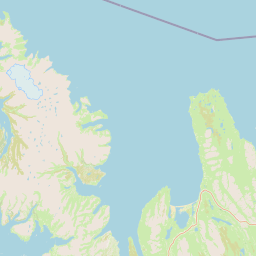
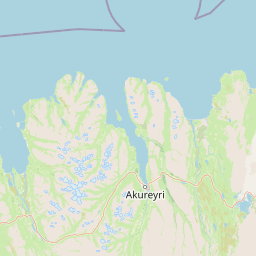
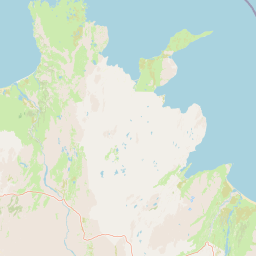
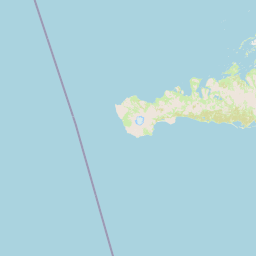
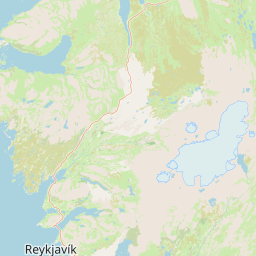
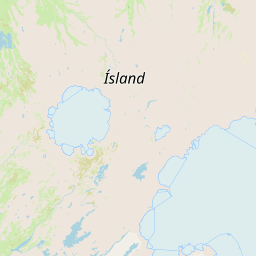
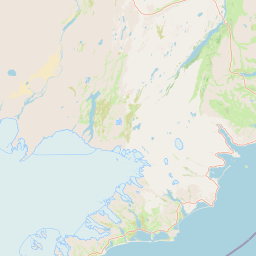
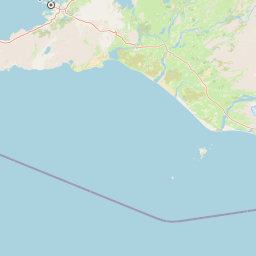
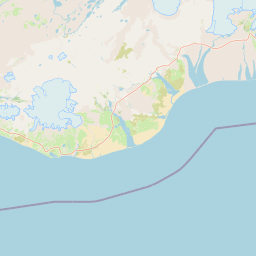
This map marks Keflavík, Reykjavík, Vík, Jökulsárlón and Mývatn. Its purpose is to connect your backup routine to the route: use city days with reliable Wi‑Fi to download and update everything, then make sure addresses, meeting points and road information are already stored on your phone before longer stretches through the South Coast, Southeast or North.


Do you need a verification message or an Icelandic phone number?
These needs are often compressed into the vague phrase “I need to make calls”. If all you need is a one-time code from a Hong Kong bank, keep the original SIM active and assign mobile data to the travel eSIM. Airalo’s support page states that a data-only eSIM can work alongside another primary line for SMS and calls, although the original carrier may charge roaming fees. Saily likewise explains that a DSDS-compatible phone can receive calls and messages on the original number while the eSIM is in use, but the exact result depends on the device.
If you need to call Icelandic numbers, reserve a small accommodation or contact a local business, a local number may make sense. Síminn offers eSIM and plastic SIM options that can place two numbers on one phone, along with short-term Starter Packs. This article includes them as local-plan context only; products, activation and top-up terms change over time. When you are buying a local number, check that the selected product actually includes voice and SMS instead of relying on the large words “unlimited data”.
| Option | Messages and calls | Activation and setup | Remote stretches and fallback | Cost and best fit |
|---|---|---|---|---|
| Airalo travel eSIM | A typical data-only product cannot replace an Icelandic number; the original SIM may still receive SMS and calls under the original carrier’s rules. | Separate installation, first connection and plan validity; follow the instructions on the selected Iceland product page. | Useful for travel data, but valleys, tunnels and weather-related outages still require offline maps and saved addresses. | Suitable if you need data, want to install at home and compare plans by allowance or duration; original-SIM roaming charges are separate. |
| Saily travel eSIM | Its main purpose is data. If you keep the Hong Kong number available, confirm DSDS support and the original carrier’s charges. | Activate at the destination according to the product instructions; recheck hotspot sharing, refunds, add-ons and fair-use terms before payment. | It can serve as a separate data line, but the brand name does not reveal coverage on a particular road; offline backup remains necessary. | Suitable if you want to manage the plan through an app and may use a hotspot; do not skip the terms because of “unlimited” wording. |
| Icelandic local physical SIM/eSIM | More likely to provide a local number and voice/SMS, but inclusion depends on the named Starter Pack or prepaid plan. | You may need to change cards, unlock the phone, top up and work around stock or opening hours; do not assume KEF will have one available on arrival. | A local plan cannot guarantee service in valleys, mountain passes or tunnels; keep offline maps, accommodation addresses and 112 information. | Suitable for local calls, transfer coordination or phones without eSIM support; a complete local plan may be poor value for one short message. |
The table points to a clean division: Airalo and Saily address Icelandic data; a local SIM addresses a local number; the Hong Kong SIM preserves your existing identity and incoming messages. All three can coexist, but do not let three lines compete for mobile data.
| Your actual need | More sensible setup | What it costs you | How I would decide |
|---|---|---|---|
| Only receive Hong Kong verification messages | Keep the original SIM; use a travel eSIM for data | Check roaming and incoming-call charges for the original number | If your banking app offers offline login, there is no reason to pay for a voice bundle |
| Call Icelandic numbers | Use a local SIM/eSIM, or confirm that the travel plan includes voice | You may need a card change, a new number and top-ups | It is useful when you have fixed transfers, clinic appointments or local businesses to contact |
| Travelling companions only need messages | One hotspot-capable travel eSIM plus offline maps on each phone | The main phone’s battery and connection become shared risks | With three or more people, or when the group may split up, give data to at least two phones |
| Avoid the original SIM’s roaming completely | Disable data roaming on the original SIM and activate it briefly only when messages are needed | Calls may not arrive immediately; some verification may need to move to an app | Ask your bank about an authenticator or push approval before leaving |
It is reasonable to ask which option is cheapest, but first describe the calling requirement in one complete sentence. If the answer is “receive one message”, buying a full local voice plan may mean paying a fixed trip-long cost for a notification that takes two seconds to read.
The dual-SIM sequence: make mistakes at home, not at KEF
Before installing an eSIM, confirm that your phone is unlocked and supports eSIM. The same model can differ by sales region. After installation, do not delete the original SIM and do not rely only on the signal bars in the top corner. Test which line completes each task.
- Create two clear names: Use names such as “Hong Kong SMS” and “Iceland Data”. Note the default voice line and the number used by iMessage and FaceTime so your messaging apps do not unexpectedly change identity during the trip.
- Assign the data line: Select the travel eSIM for mobile data. If your phone offers “Allow Mobile Data Switching” or a similar setting, turn it off first so a weaker signal does not send data back to the original SIM.
- Handle the original SIM: If you need verification messages, keep the line available but disable data roaming. If your carrier requires roaming to receive messages, read the charges carefully and turn it off as soon as you return home.
- Enable roaming on the travel eSIM if the provider requires it: Some plans need this setting to connect to a partner network and some do not. Do not treat another person’s iPhone screenshot as your own plan’s terms.
- Test with Wi‑Fi off: Open a saved accommodation address, send a simple message, receive a test message and connect another phone to the hotspot. The setup is ready only when all three checks work.
- Save two offline copies: Download maps for Reykjavík, the South Coast or the areas you will actually visit. Save the Keflavík rental-car desk, accommodation, activity meeting points and 112 information as screenshots and text. For the first-night airport decision, see Keflavík and Reykjanes decision guide.
This sequence includes a deliberate pause: test first, then save screenshots of the QR code, order number and support page. An eSIM may not be reinstallable by yourself after deletion. If the test fails, troubleshoot while you still have home Wi‑Fi; that is far easier than studying APN settings in the queue behind you at the rental desk.
Four dual-SIM settings that commonly cause regret
| Setting | What happens when it is on | Safer default | When to change it back |
|---|---|---|---|
| Data roaming on the original SIM | The phone may fall back to the original line when the eSIM loses service | Keep it off; first check whether receiving messages requires it | Turn it on briefly for messages only after confirming the charges |
| Automatic data switching | You think you are using the travel plan while data has returned to the original number | Keep it off during the trip and choose the line manually | Turn it on again after returning to your normal local plan |
| Original number as default data line | Maps and background app updates consume roaming data first | Select the travel eSIM explicitly and save a screenshot of the setting | After returning home or when the travel eSIM expires |
| Wi‑Fi calling and incoming calls | Call charges may follow different carrier rules | Ask the original carrier first; do not rely only on the phone’s display | After confirming both the cost and the need |
If you only want to receive messages over accommodation Wi‑Fi, the original SIM does not need mobile data all day. Once the roles are separated, it becomes clear that much of the useful security comes from saved addresses and backup contact methods rather than leaving every switch enabled. If connectivity or setup behaves unexpectedly, work through the Iceland self-drive eSIM setup checklist before buying another plan.
ICENAVI · DUAL-SIM JUDGEMENT
Two lines, two jobs.
Keep the original number so essential identity checks reach you. Use a travel eSIM to give maps, roads and activity information a controllable data line. Keep offline copies so you can still find the next address when both connections are unreliable. Once you can explain those three roles, you are ready to compare platforms.
Have you separated your original number from travel data?
Check activation and hotspot terms before choosing an Iceland eSIM
The links below are the checked Iceland product pages for this article. Airalo makes it easy to compare fixed data allowances and validity periods; Saily’s Iceland page specifies hotspot sharing. Partner networks, activation, speed, add-ons, refunds and fair-use terms can change, so use the product page as the final reference before payment. If you need a local number, research a local telecom plan separately; a data-only product is not a voice SIM.
References
References
The following sources were compiled on 5 September 2026. Provider plans, activation rules, partner networks, calls and SMS, speed, pricing and refund terms can change. Check the provider and your original carrier again before purchase and after arrival.
- Airalo Help | Receiving SMS and calls while connected with a data-only eSIM: the original line must remain active, and the original carrier may charge roaming fees.
- Airalo | Iceland eSIM: Iceland plans, data allowances and validity follow the purchase page.
- Saily Help | Keeping your primary number available while using Saily eSIM: simultaneous use of a physical SIM and eSIM depends on Dual SIM Dual Standby support on the device.
- Saily | Iceland eSIM: Iceland plans and hotspot information; speed and coverage depend on the partner network and location.
- Síminn | eSIM: local telecom guidance on eSIM, dual numbers and device support.
- Síminn | Prepaid eSIM Starter Pack: short-term plan and activation information; stock, prices and terms may change.
- SafeTravel Iceland | 2G and 3G phase-out: reminders about mobile coverage, terrain and network retirement.
- 112 Iceland | Contacting 112: emergency contact and assistance information in Iceland.
- Hero image: Wikimedia Commons: Cell Tower in Stykkishólmur, CC BY 4.0; this site uses a resized, cropped and WebP-converted version. The photograph illustrates the spatial relationship between a small town, mountainous terrain and a communications tower; it does not represent coverage or service results from any provider.

Q&A | Questions to answer before departure
Will keeping my Hong Kong number available for SMS create roaming charges?
It may, depending on your original carrier and whether data roaming is enabled. Disable data roaming on the original line, use it only when essential messages are needed, and confirm the charges with the carrier before departure.
Is a physical SIM always more reliable than an eSIM?
No. Phone support, activation, network coverage and whether you need a local number are the relevant conditions. A physical SIM also cannot solve a loss of service in a remote stretch.